Sometimes newcomers to the tech industry think that everything is about writing code. But really, there is so much that can be learned from understanding basic patterns that make up software development. This article is meant to explore one of those: the Client-Server Model.
The truth is that there are few patterns that are as widespread in our day-to-day lives than the Client-Server Model. Because of this, understanding more about it can lead to a better understanding of the technology you use on a daily basis. Learning about what it is, what principles make it up, what are it’s fundamentals, all can help you in numerous situations when working with tech.
You don’t have to just be a developer to benefit from understanding the Client-Server Model either. Managing releases, debugging, bench-marking performance, and even breaking down work properly in tickets and user stories; these are all things that can improve with even just a basic understanding of this building block of modern software development. Let’s get started!
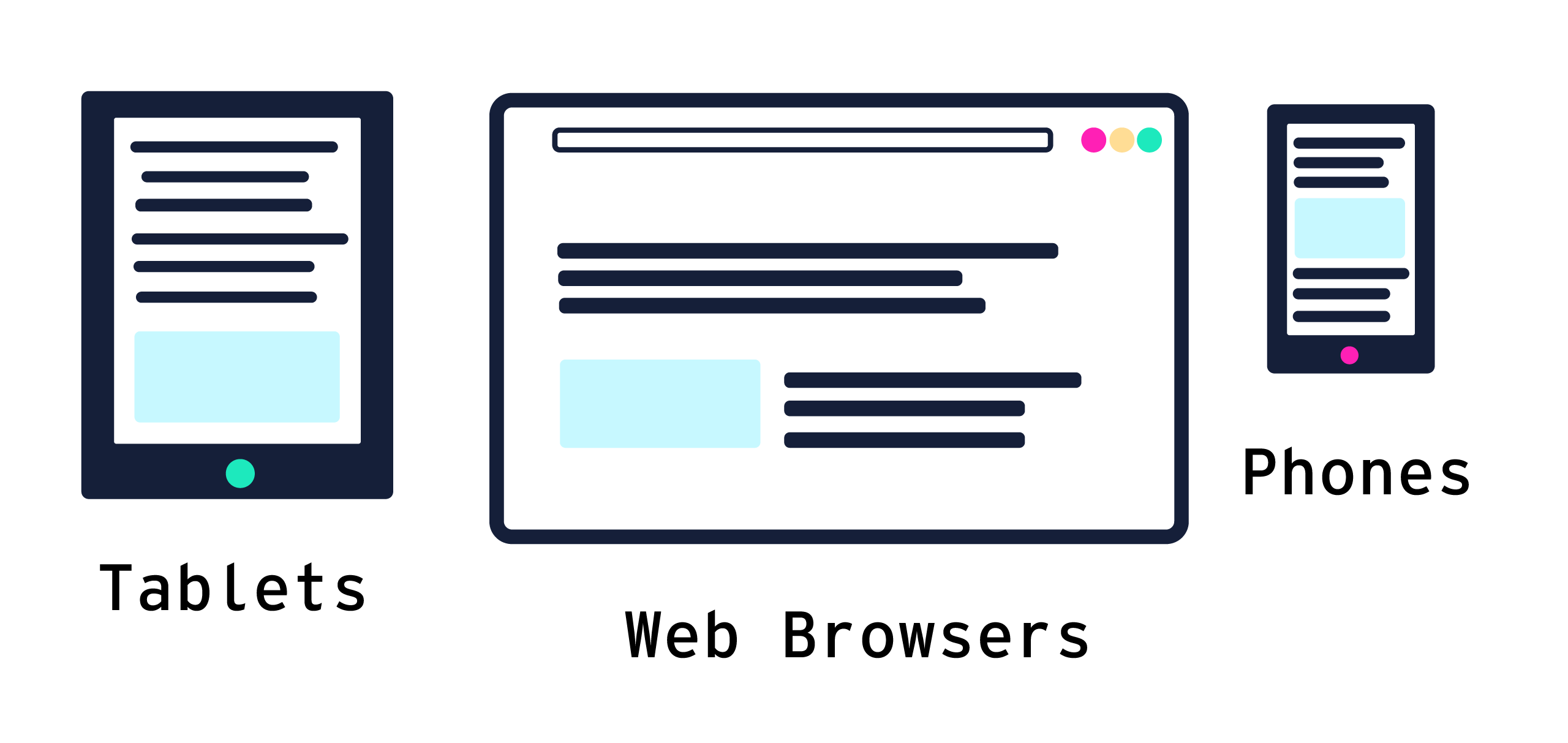
What exactly is a Client?
Before we talk about this model, let’s first describe what a client is. Simply put, a client is a piece of software that runs as a “requester” of data. This could be a website you hit on your computer, an app on your phone, even desktop apps that you run sometimes. If you don’t write code for a living, there’s a pretty good chance that every piece of software you ever interact with (so long as it’s connected to a network) is a client in some capacity.
Security of a client
Clients have a few characteristics that might not be so obvious at first glace. First, there’s the fact that the written software that runs as a client runs on a computer that is effectively out of the control of the person who wrote the software. What I mean is that your phone, computer, smart-fridge, whatever, is within the control of the consumer.
This leads to the next characteristic, which is that clients are inherently less secure. For example, a website you visit’s actual “front-end” code (that is, all the code that dictates what you see) should not include anything sensitive, or provide any access to anything sensitive. The same can be said for other types of clients as well, however various ecosystems are differing levels of secure.
Your local bank’s ATM is a client, but there are strict regulations on how its client-server relationship function, and therefore its more secure. Apple and Android phones have standards with which app developers have to adhere to before submitting apps to download on the open market. And even web browsers have very strict rules about what client code they run can and cannot do. Which incidentally is why you should be careful about clicking around on popups or downloads that you’re not sure of; these could be ways for nefarious actors to sidestep some of these rules through the client.
The point of these examples is not for you to be dissuaded in the security of reputable software companies. Instead, its to point out that these standards and regulations are in place to combat the inherent fact of clients: they are by default not secure.
So what is a server then?
Now that we know a bit more about clients, lets talk about servers. Servers are software that handle requests that the clients ask about. They then issue “responses” for these requests. They are, in this pattern anyway, the source-of-truth when it comes to data that powers applications.
Chances are, unless you write code in some capacity, you won’t ever interact with a server’s software directly. But that doesn’t mean its not useful to understand how they work!
Security of a Server
Whereas clients are inherently insecure, servers are the opposite. They run on environments that writers of the software have much more (if not full) control over. They’re designed in a way to act as the source of anything that might require sensitive logic. Because of this inherent security, servers have access to things that clients shouldn’t. Things like database access, passcodes to other servers, or user information (though there’s security concerns around this even on servers).
How Clients and Servers talk to each other
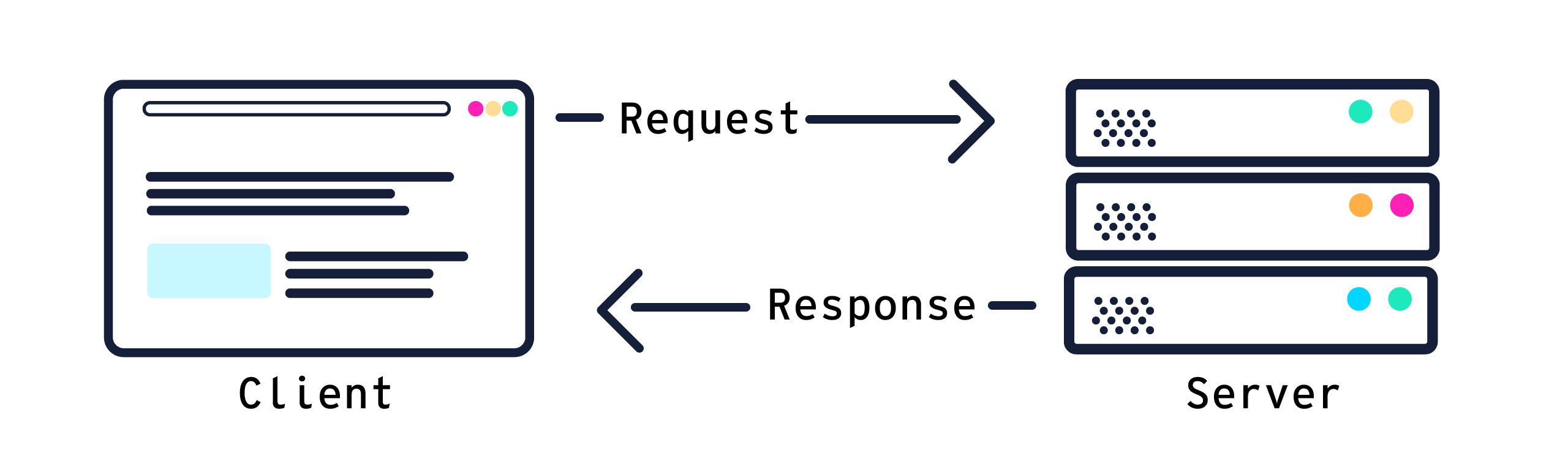
Clients issue “requests”, and servers issue “responses” to those requests. We’ve already mentioned these terms a few times, but lets go into a bit more detail here. A request usually falls into two categories: getting data, or changing data. While there are many technologies that are used to manage requests and responses, easily the most common “protocol” used nowadays is called HTTP. In fact, you might even see those four letters at the start of web pages you visit.
Managing Getting Data
In HTTP terms, a request where a client asks for something is called a GET request. A GET is made when you load up your favorite social media app, or visit a website and see the content load up. Every single time you type in a URL, or hit a link on any device, a GET request is made first and foremost. It does exactly what you’d think it does; a GET request is sent to the server from a client, with some information about what the client is looking for (like a url, or other small bit of data).The server takes this request, looks at what the client wants to get, finds it (either in a database, or generates it somehow) and sends a response back to the client.
How Data is Updated
These same principles are true if the client wants to update some data. We mentioned how clients are insecure. However often times clients issue requests around updating data. It’s up to the server to know how to handle those requests appropriately. In HTTP terms, this is called either a POST or a PUT request. They look fairly similar to GET requests, except that the data added to the request is generally used to update some data in a database by the server.
An example of this is something like posting something on social media, or updating your email address on a website. These are issued as requests from a client and sent to a server, in order to create or update data.
Scale of this relationship
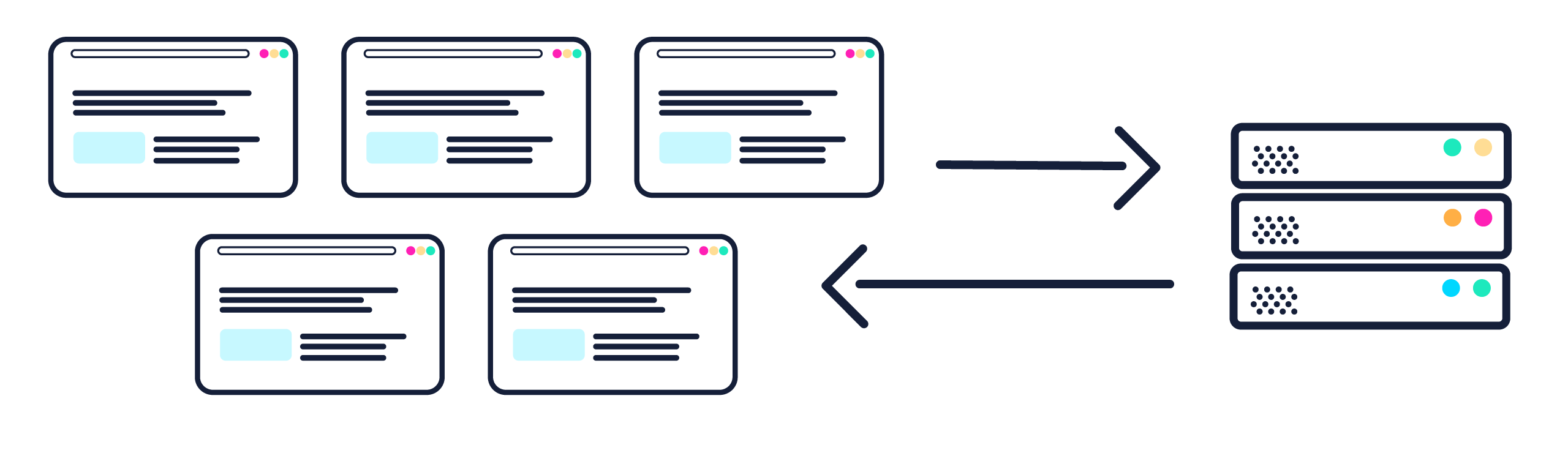
In its most simplistic form, a client-server model relationship might only have one each of a client and server. However what is far more likely is for there to be many, many clients talking to the same server. The logistics of networking behind this become complicated fairly quickly. However it is entirely possible for thousands of clients to have isolated requests and responses going back and forth to the same server in any given second. This is how you can have many people using the same website, or lots of players signed on to the same lobby.
Beyond this, there might even be multiple copies of the same server working for clients. This is often how companies try and handle huge peaks of usage, where whatever their normal operating capacity gets exceeded in a short period of time.
In recent memory, ticketing websites have had this very problem where their traffic is relatively low most of the time, and then one night millions of prospective concert goers log on to try and get a ticket, all within seconds of each other.
Wrapping Up
As a conclusion to this basic overview of the Client-Server Model, let’s wrap up by reviewing what we’ve covered. A client runs on a consumer’s device, and requests data. It’s inherently insecure, as unless there’s some extra security guaranteed to be on the client device, the environment of the client is effectively out of the control of the software developer.
Servers handle requests from clients, and issue responses for the data that has either been asked for, or asked to be updated. And of course, you can have lots and lots of clients talking to the same server, and beyond that there might even be lots and lots of server handling the same task.
Hopefully this gives you some insight into this architecture pattern; one that isn’t just fundamental to software development, but to so many aspects of our modern day lives.